
Direct download
Pending store approval
POCCAT is pending approval in the App Store and Google Play. For now, you can download the Android app directly.
POCCAT — Android installation guide
Follow these steps to install POCCAT on your Android device.
Step 1 — Download the APK
- Tap Download for Android above, preferably directly on your device.
- Once downloaded, open the APK file on your Android device.
- If prompted, allow your browser or file manager to install apps from this source.
Step 2 — Confirm installation
When Android asks “Do you want to install this app?”, tap Install.
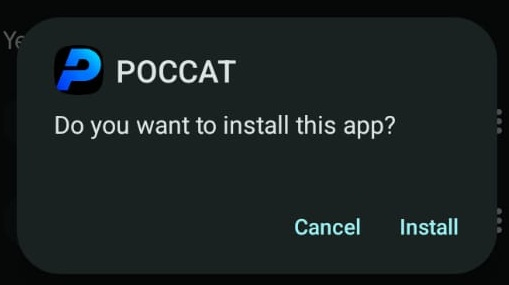
Step 3 — Google Play Protect warning
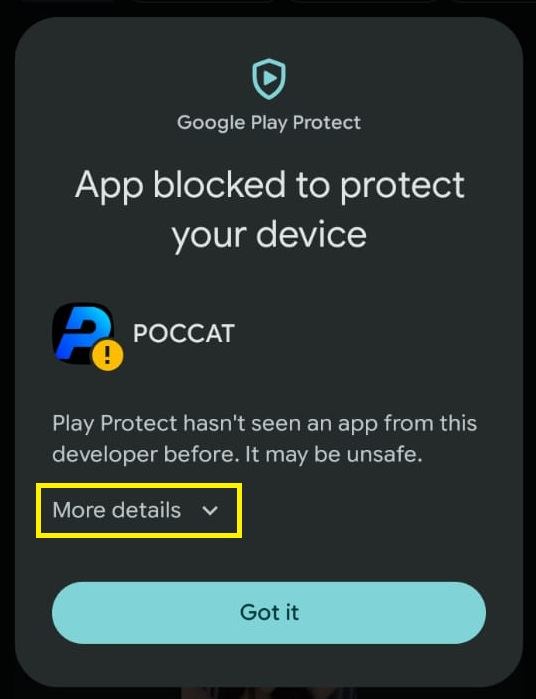
You may see a Google Play Protect warning stating:
“Play Protect hasn't seen an app from this developer before. It may be unsafe.”
This warning can appear when installing apps distributed outside the Google Play Store.
If you downloaded POCCAT from the official release and trust the source:
- Tap More details.
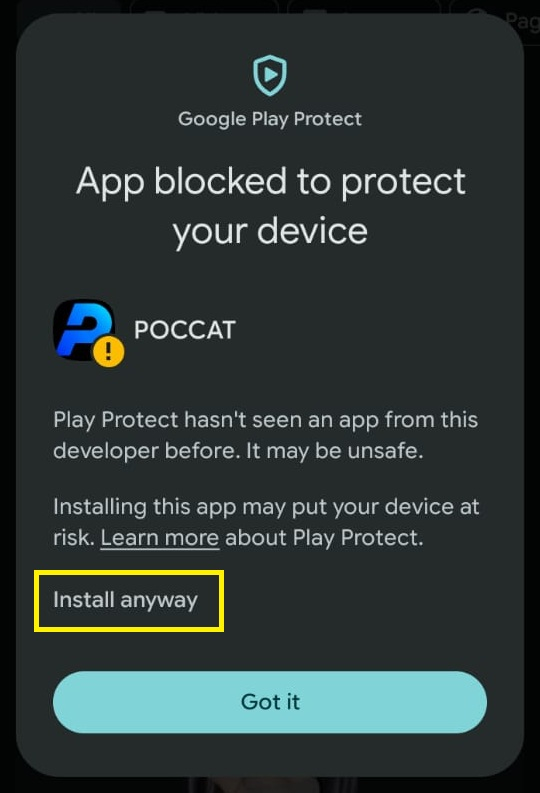
- Review the warning carefully.
- Tap Install anyway if you wish to proceed.
Important: Do not proceed if you are unsure about the APK's origin. You do not need to disable Google Play Protect.
Step 4 — Wait for installation
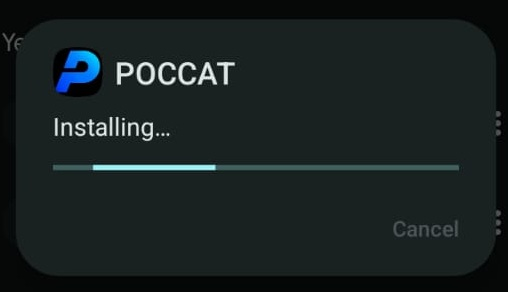
Android will begin installing POCCAT. Please wait for the installation process to complete.
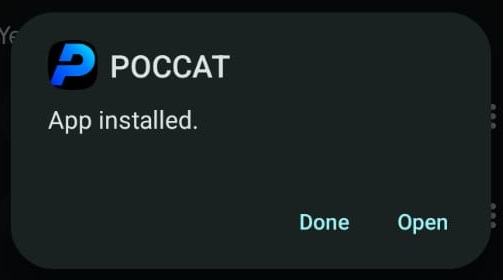
Step 5 — Installation complete
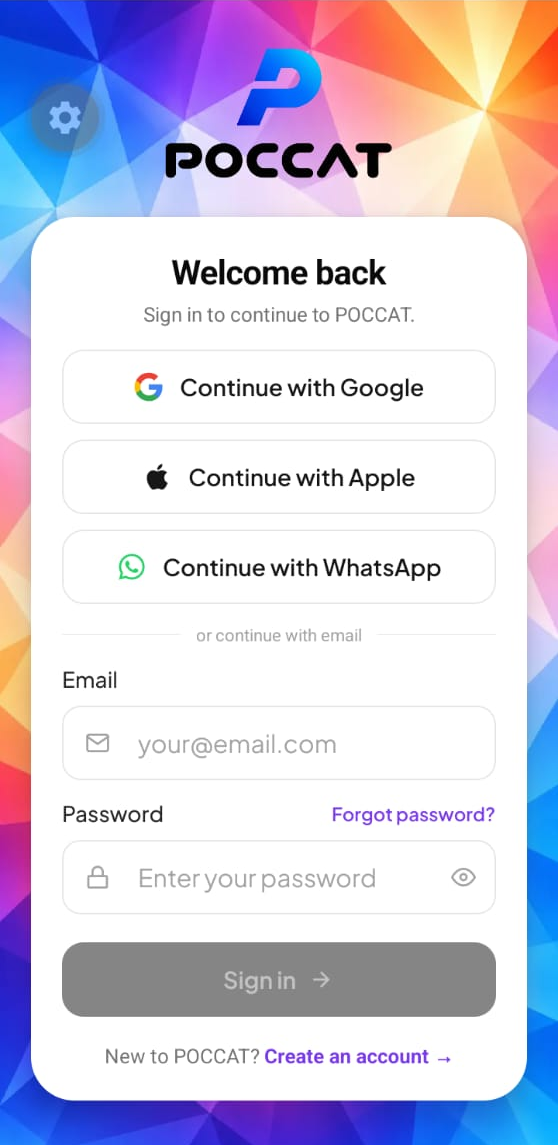
Once you see “App installed”, tap Open to launch POCCAT.
You're all set! Welcome to POCCAT.
This installation guide is for Android devices only. Installation screens may vary depending on your Android version and device manufacturer.